Docker Images and Containers
In the last blogs, we understood why Docker exists and how Docker architecture works.
Today we’ll cover the most important Docker concept — the one that decides whether Docker feels easy or confusing:
Docker Image vs Docker Container
If this clicks, Docker clicks.
🔹 The Core Question
Is image the same as container?
Why do we need both?
Why does Docker Hub store images, not containers?
Let’s clear this once and for all.

🔹 What is a Docker Image?
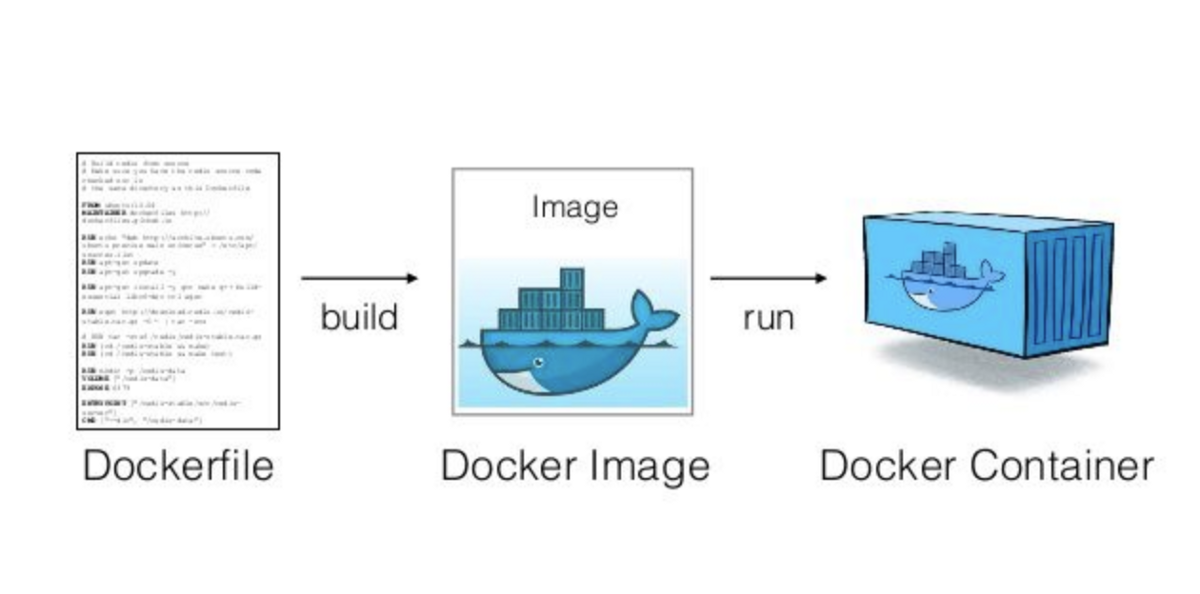
A Docker Image is a blueprint.
It is:
A read-only template
Contains everything needed to run an app
Does NOT run by itself
An image includes:
Base OS layer (usually Linux)
Runtime (Node, Python, Java, etc.)
Dependencies
App files (only what you COPY)
Startup instructions
Think of it as:
A frozen snapshot of an application environment
Example (Node.js Image)
node:18
This image already contains:
Linux
Node.js v18
npm
But it is not running yet.
🔹 What is a Docker Container?
A Docker Container is a running instance of an image.
Container = Image + Running state
It:
Starts when you run it
Stops when the process ends
Can be deleted anytime
Is isolated from your system
Containers are ephemeral by default.
Example
docker run node:18
What happens:
Docker takes the image
node:18Creates a container from it
Starts running Node inside it
🔹 Image vs Container (Simple Table)
| Docker Image | Docker Container |
| Blueprint | Running instance |
| Read-only | Read-write |
| Stored in Docker Hub / ECR | Runs on local or cloud machine |
| Can create many containers | Created from image |
| Does not execute | Executes application |
🔹 The Best Analogy (Remember This)
Recipe → Docker Image
Cooking the recipe → Creating container
Food being eaten → Running container
You upload the recipe, not the cooked food.
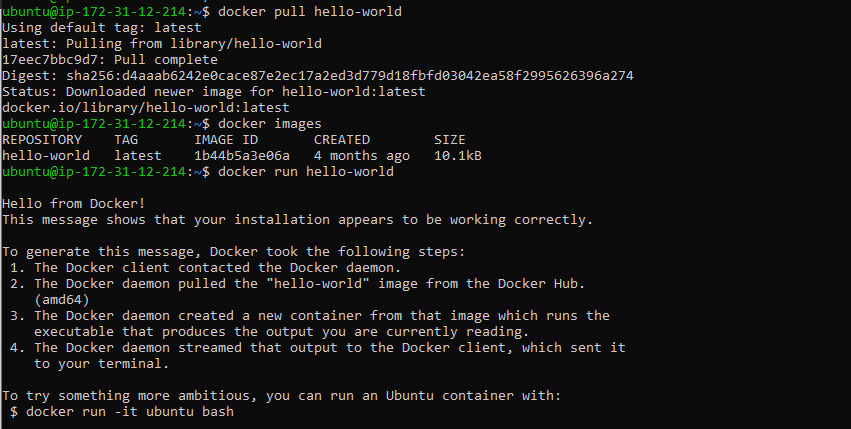
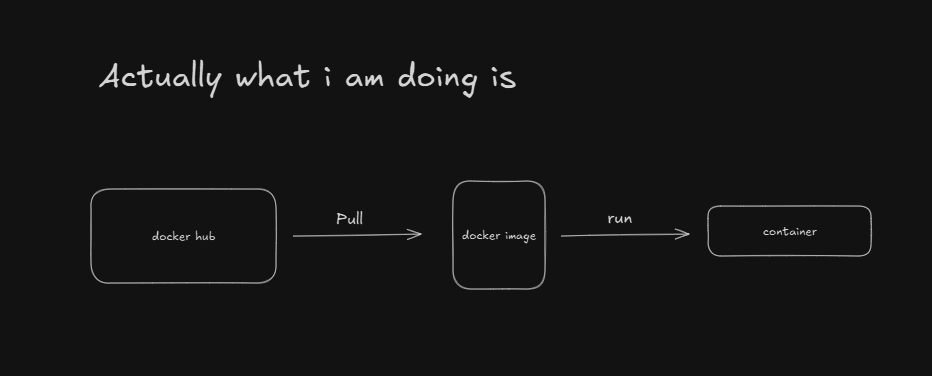
That’s why:
Docker Hub stores images, not containers
🔹 Why Containers Are Lightweight
Containers do NOT include:
Full OS kernel
Hardware drivers
They share the host OS kernel.
That’s why:
Containers start in seconds
Hundreds can run on one server
Docker is faster than virtual machines
🔹 Multiple Containers from One Image
One image can create multiple containers.
Example:
docker run nginx
docker run nginx
docker run nginx
Same image → 3 containers → same behavior
This is how:
Load balancing works
Microservices scale
Kubernetes manages replicas
🔹 Where Images Live
Images can exist in:
Local machine
Docker Hub (public/private)
AWS ECR (private)
Flow:
Dockerfile → Image → Registry → Server → Container
🔹 Where Containers Live
Containers:
Live only on the machine where they are running
Cannot be pushed to Docker Hub
Are destroyed and recreated anytime
This is by design.
🔹 Common Mistakes (Avoid These)
❌ Thinking image and container are same
❌ Expecting containers to be saved in Docker Hub
❌ Editing containers instead of rebuilding images
❌ Treating containers like permanent servers
Docker philosophy:
Destroy and recreate, not fix manually
🔹 Real-World Cloud Perspective
In AWS:
You build an image
Push it to ECR
ECS / EKS runs containers
Containers can die and restart anytime
Images are stable.
Containers are temporary.
🔹 One-Line Summary (Interview Ready)
Docker Image is a blueprint.
Docker Container is a running instance of that blueprint.
If you understand this, Docker becomes simple.


