
When I started learning Docker, everything was smooth until I hit this question:
“Where does my data go when the container stops?”
At first, I didn’t think much about it.
Then one day I stopped a container… and my data was gone.
That’s when I realized:
Containers are temporary. Data is not.
So this blog is about:
Why Docker volumes exist
What problem they solve
Types of storage (bind mount vs volume)
Commands (real ones I used)
Simple Ubuntu examples
No theory overload. Just what actually matters.
🔹 The Real Problem
When you run a container:
docker run ubuntu
You’re inside a completely isolated environment.
You create files:
touch file.txt
Now exit and remove container:
docker rm <container_id>
Boom 💥
Your file is gone.
Because:
Container filesystem = temporary
🔹 Why We Need Volumes
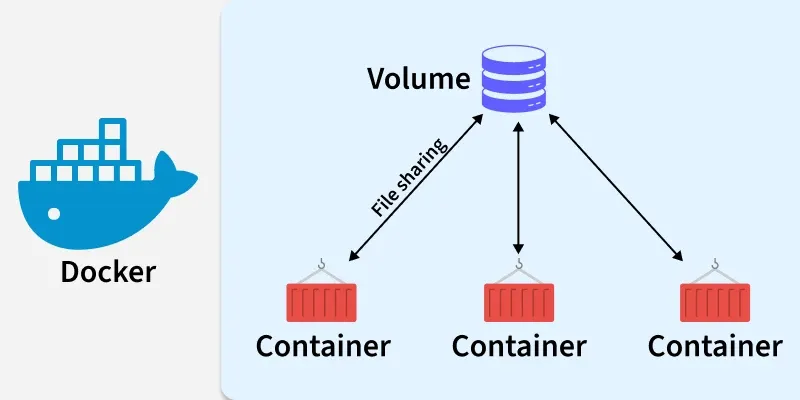
We use volumes when:
We don’t want data to disappear
We want to share data between containers
We want to connect container with host files
In simple words:
Volumes = permanent storage for containers
🔹 Two Types of Storage (Very Important)
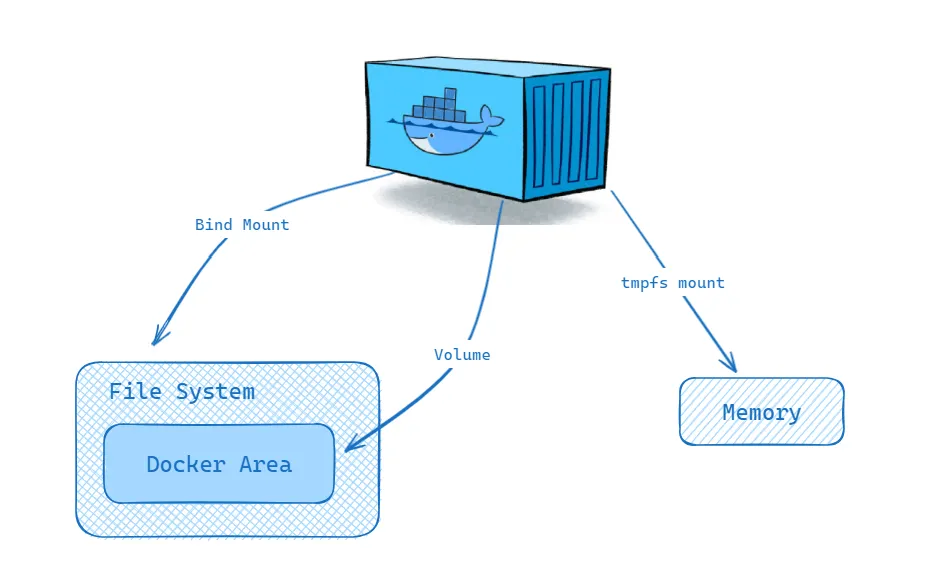
1️⃣ Bind Mount (Host → Container)
This directly connects your local folder to the container.
docker run -v /home/ubuntu/data:/app ubuntu
Meaning:
HOST DIR → CONTAINER DIR
So:
Anything inside
/appis actually stored on your hostChanges reflect instantly
Example (Ubuntu)
docker run -it -v /home/ubuntu/test:/data ubuntu
Inside container:
cd /data
touch hello.txt
Now check on host:
ls /home/ubuntu/test
You’ll see:
hello.txt
👉 This is real-time sync
When to use Bind Mount
Development
Debugging
Live code changes
Sharing files with host
🔹 2️⃣ Docker Volume (Managed by Docker)
This is created and managed by Docker itself.
Create volume
docker volume create myvolume
Use volume
docker run -it -v myvolume:/data ubuntu
Now:
Data is stored by Docker internally
Not directly visible like normal folders
Inspect volume
docker volume inspect myvolume
Remove volume
docker volume rm myvolume
Clean unused volumes
docker volume prune
⚠️ This deletes all unused volumes
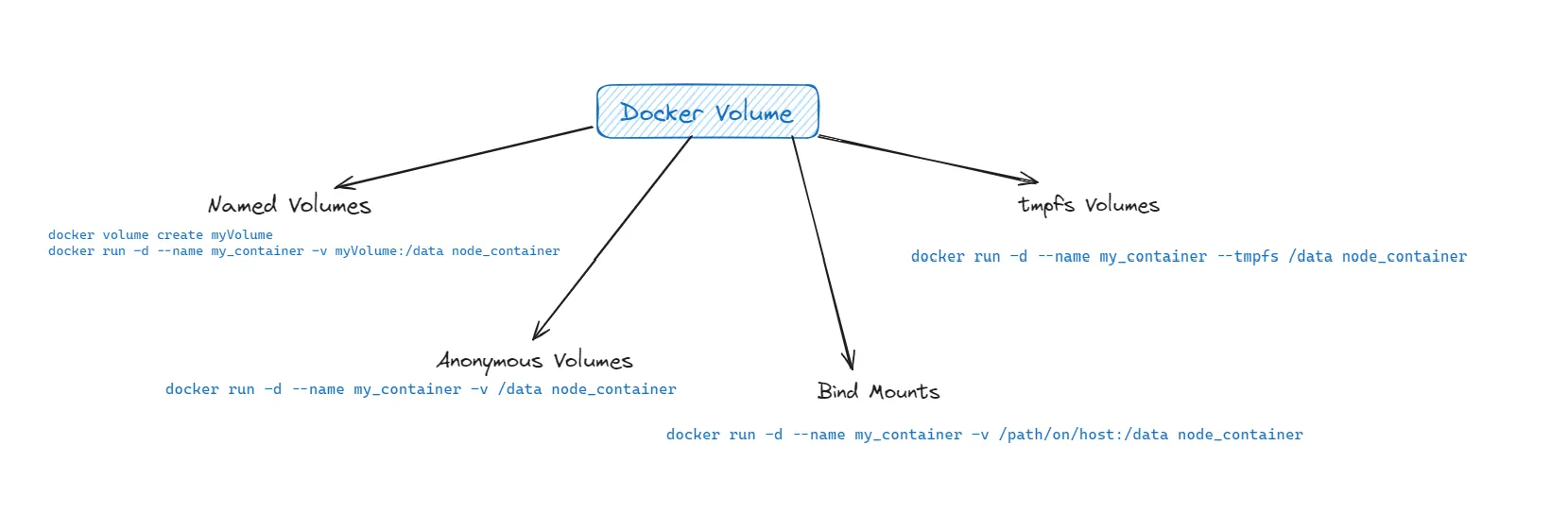
🔹 What’s the difference?
| Feature | Bind Mount | Docker Volume |
|---|---|---|
| Location | Host filesystem | Managed by Docker |
| Visibility | Easy to see | Hidden |
| Use case | Development | Production |
| Performance | Depends on OS | Optimized |
🔹 Important Commands (Grouped)
Volume commands
docker volume create VOL_NAME
docker volume rm VOL_NAME
docker volume inspect VOL_NAME
docker volume prune
Using volumes in container
docker run -v VOL_NAME:/container/path
docker run -v /host/path:/container/path
Inspect container (to see mounts)
docker inspect CONTAINER_ID
You’ll see:
Volume path
Mount info
Bind details
🔹 Small Mistake I Made (Learn from it)
At first I used:
docker run -v MOUNT_PATH
This is incomplete ❌
Correct format is:
docker run -v HOST_DIR:CONTAINER_DIR
Example:
docker run -v /home/ubuntu/data:/app
🔹 Real Understanding (This Changed Everything)
Before:
- I thought container = like VM
After:
Container = temporary process
Volume = actual storage
So now my thinking is:
App runs in container
Data lives in volume
🔹 When I Use What
Bind Mount
While coding
When I want live reload
When I want to see files directly
Docker Volume
Database (Mongo, MySQL)
Production apps
Persistent storage
🔹 Reference (If you want to go deeper)
While learning this, I also checked the official Docker docs to understand things more clearly.
If you want to explore in detail:
https://docs.docker.com/engine/storage/volumes/
It explains:
How Docker manages volumes internally
Advanced volume options
Production-level usage
🔑 One Line That Made It Click
Containers are temporary, volumes are permanent.


